Contact Form vs. Posting Your Email Address: Which One Actually Works Better?

LucidForms Team
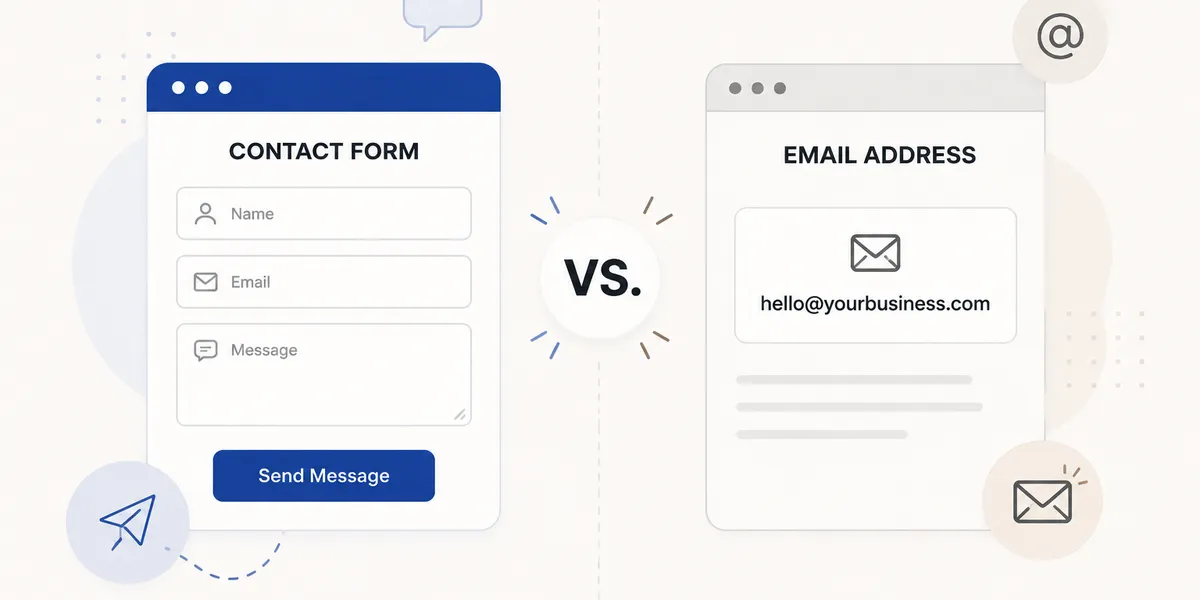
Somewhere along the way, the contact form became the default. Every website has one. But there’s a real question worth thinking about: is the form actually better for you, or is it just what everyone does?
The honest answer is: it depends, and the “it depends” actually matters here.
The case for just posting your email
A link like mailto:[email protected] is direct. The person who wants to reach you clicks it, their email client opens, and they write to you. No form to fill out, no redirect, no wondering if the message was sent.
For a lot of freelancers and small businesses, this is genuinely fine. If most of your work comes through personal referrals and you’re not getting unsolicited inquiries from strangers every day, a plain email link is simpler and doesn’t require maintaining anything.
The visitor experience is also slightly better in many cases. Some people (especially the kind of clients who are going to pay you well) actively dislike forms. They want to write an email the way they normally would, not fill out a form with fields that may or may not match what they actually want to say.
The case for a contact form
The reason forms exist is spam. If you post your email address in plain text on a public webpage, bots will find it within days. Those bots scrape email addresses from HTML and sell them to spam networks. The volume of junk you receive will increase over time, and there’s no way to stop it short of changing your email address.
Forms don’t expose your email address. The visitor fills in the fields, the submission goes to a backend that sends you an email notification, and your actual address is never in the page source.
Forms also give you structure. If someone contacts you about a project, you can include fields for project type, budget range, timeline, and anything else that helps you respond usefully. You get better information upfront, which means fewer back-and-forth emails before you can give a real answer.
Finally, forms create a record. If you use a form endpoint service, submissions are stored in a dashboard. If an email notification lands in spam or you accidentally delete it, the submission is still there.
The spam problem is real but manageable on both sides
Email harvesting bots are sophisticated enough that even obfuscating your email (like hello [at] yoursite [dot] com) isn’t very effective anymore. If your email is in the HTML in any parseable form, it will get found eventually.
There are a few approaches people use to share email addresses publicly without as much spam exposure:
- Rendering the email as an image (bad for accessibility, annoying to click)
- JavaScript-based obfuscation (adds complexity, not reliably effective)
- Using a separate email address specifically for your website that you filter into a different inbox
None of these are great. The contact form genuinely solves this cleanly: your real address never appears in the page source at all.
What the research actually says (or doesn’t)
You’ll see articles claiming contact forms reduce conversions or that visitors abandon forms at high rates. Some of that research is real. But most of it is about long, complex forms with many required fields, not a simple three-field contact form. A name, email, and message box is not going to cause significant abandonment for someone who actually wants to reach you.
Don’t let fear of “conversion rate optimization” talk you out of a contact form when your actual concern is just getting inquiries from clients.
When a contact form is clearly the right choice
- You’re running anything resembling a business and your email is public
- You want structured information from people who contact you
- You need a record of who reached out and when
- You’re getting (or expecting) enough inbound interest that managing it all through a shared inbox becomes a problem
When just posting your email is fine
- You’re building a personal portfolio or a low-traffic site where personal connection matters more than structure
- You rarely get unsolicited inquiries and spam isn’t a meaningful problem yet
- You want the absolute simplest thing and you’re okay with managing spam through email filters
- Your audience is the kind of people who prefer writing a proper email over filling out a form
The middle ground: post both
Some sites do this well. They include a short contact form for the standard “get in touch” use case and also link their email address directly underneath it with something like “or email us at hello@…”. The form handles the structured use case and catches most spam; the email link is there for people who prefer it.
This is actually a reasonable default. You’re not forcing anyone into either flow, and people who abandon forms can still reach you.
Where the form breaks down
The one scenario where a contact form genuinely fails people is misconfiguration. A form that looks functional but isn’t actually sending you notifications means you’re missing inquiries without knowing it. Someone reaches out, gets a confirmation message, assumes you received it, and waits. You never see it.
This happens more than it should, especially with AI-built sites where the form is included visually but the backend was never set up.
If you have a contact form on your site right now, do yourself a favor and submit a test entry to confirm you get the notification. If you don’t receive it within a few minutes, the form isn’t working and you’ve potentially been missing messages.
The actual recommendation
For most business sites: use a contact form. The spam protection alone is worth the small amount of setup. Keep it short (three or four fields max). If you want to also include your email address as a fallback, do that too.
For a genuinely personal site where you want visitors to feel like they’re emailing a person rather than contacting a business: post your email. Accept the spam as a cost of doing business, or use a catch-all address you can filter.
Neither is wrong. The mistake is having a contact form that doesn’t actually work.